DocVerify Pro › USCIS file size limit · Español
USCIS file size limit: what you can upload in 2026
The short answer. USCIS online filing commonly accepts up to 12 MB per file, in PDF, JPG or JPEG (some forms also take TIF/TIFF). Scans should be legible, and 300 DPI is the usual recommendation. Do not password-protect the file.
If your evidence upload keeps failing, it is almost always one of three things: the file is over the size cap, it is in a format the portal will not take, or the text is not legible enough to read. Here is each one.
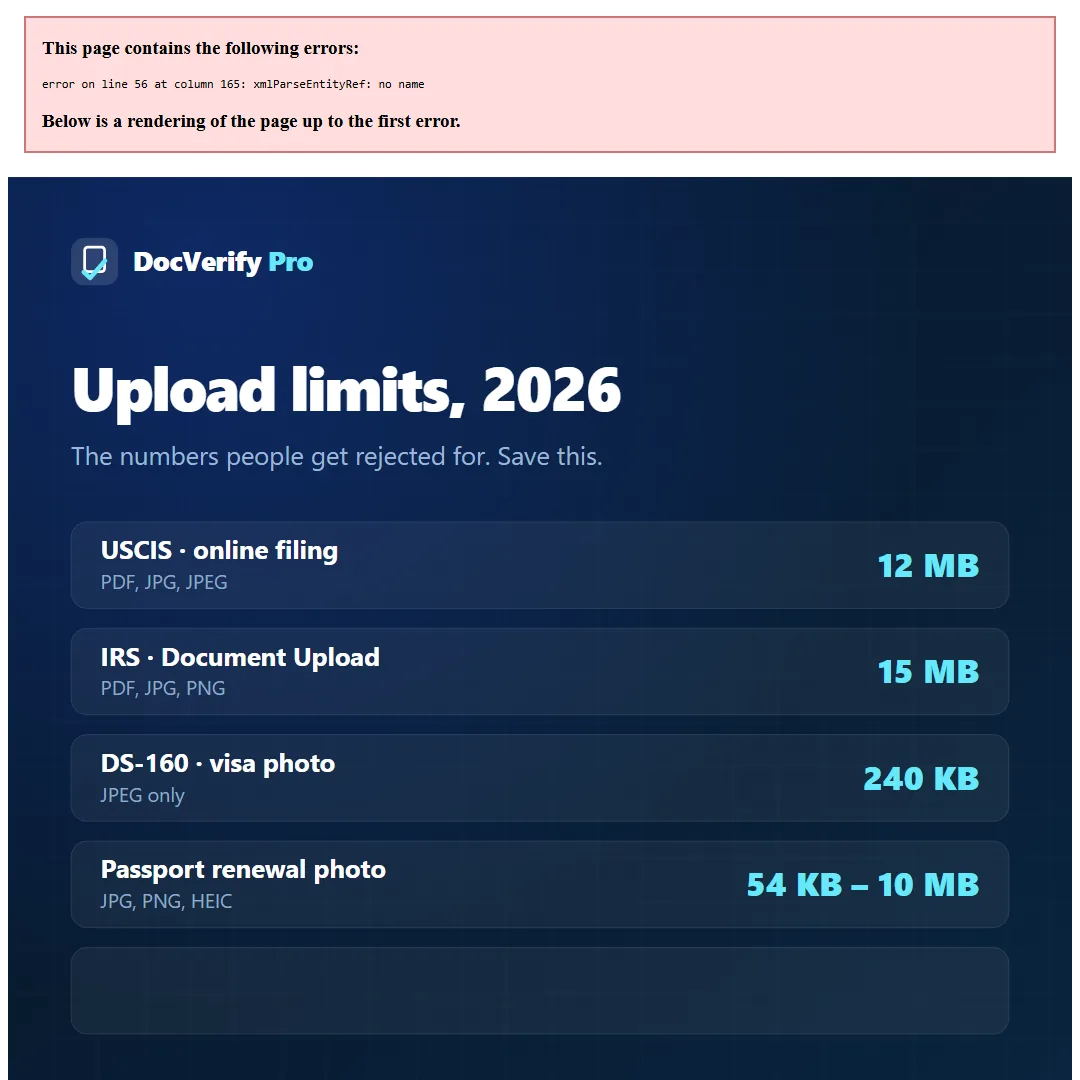
The limits, side by side
| What | Limit |
|---|---|
| Maximum size per file | 12 MB |
| Accepted formats | PDF, JPG, JPEG (TIF/TIFF on some forms) |
| Recommended scan resolution | 300 DPI |
| Password protection | Not permitted |
Checked against the official USCIS guidance in August 2026. Agencies change these without notice — confirm on the portal before a deadline-critical filing.
Why an upload gets rejected
1. The file is too large
A photo from a modern phone is 4–8 MB before you have done anything to it. Photograph five pages of a document and combine them and you are well past 12 MB. The fix is not to crank the JPEG quality down until it fits — that is what turns small print into mush. Reduce the resolution to 300 DPI, switch a text document to bitonal (pure black and white), and the file typically drops by 90% with the text still crisp.
2. Wrong format
PNG and HEIC are the usual culprits. iPhones save HEIC by default, and many portals reject it outright. Convert to JPEG or PDF before you try.
3. Not legible
A reviewer has to read it. Shadow across the page, flash glare over a data field, or a photo taken at an angle will all draw a request for evidence even when the document itself is perfect.
One thing worth knowing. USCIS and the IRS have different caps — 12 MB and 15 MB respectively — and the DS-160 visa photo is far stricter at 240 KB. There is no single government standard. Always take the number from the portal you are actually using.
How to get a scan under 12 MB and keep it readable
- Photograph the document flat, filling the frame, in indirect daylight rather than with flash.
- Correct the angle and lighting first — a straightened, evenly lit page compresses far better than a shadowed one, because compression spends bits on the shadow gradient.
- Set the output to 300 DPI. Higher adds size without adding legibility for a reviewer.
- For a text document, use bitonal. For an ID with security features or a photograph, keep colour.
- Check the resulting file size before you submit, not after the portal rejects it.
Bring your file under 12 MB without wrecking the text
Runs in your browser. Your document is never uploaded. First one is free.
Open DocVerify Pro